
GUIDE / JEWELRY STORES
Shopify jewelry product page checklist
Start with one ring that comes in two metals and several sizes. On a phone, pick a metal and size, check its measurements, add engraving if offered, and verify what reaches the bag.
Show the piece, scale, and materials
- Use a front view, a side view and a close-up of the finish or setting. A photo on a hand helps shoppers judge scale.
- Put material, finish and stone details in product text. Use descriptive alt text for informative photos and show the matching photo when the shopper changes metal.
Test metal and ring size combinations
- Pick an in-stock size, an existing sold-out size, and a size the store does not offer in the selected metal. Make the states distinguishable by text or styling as well as color.
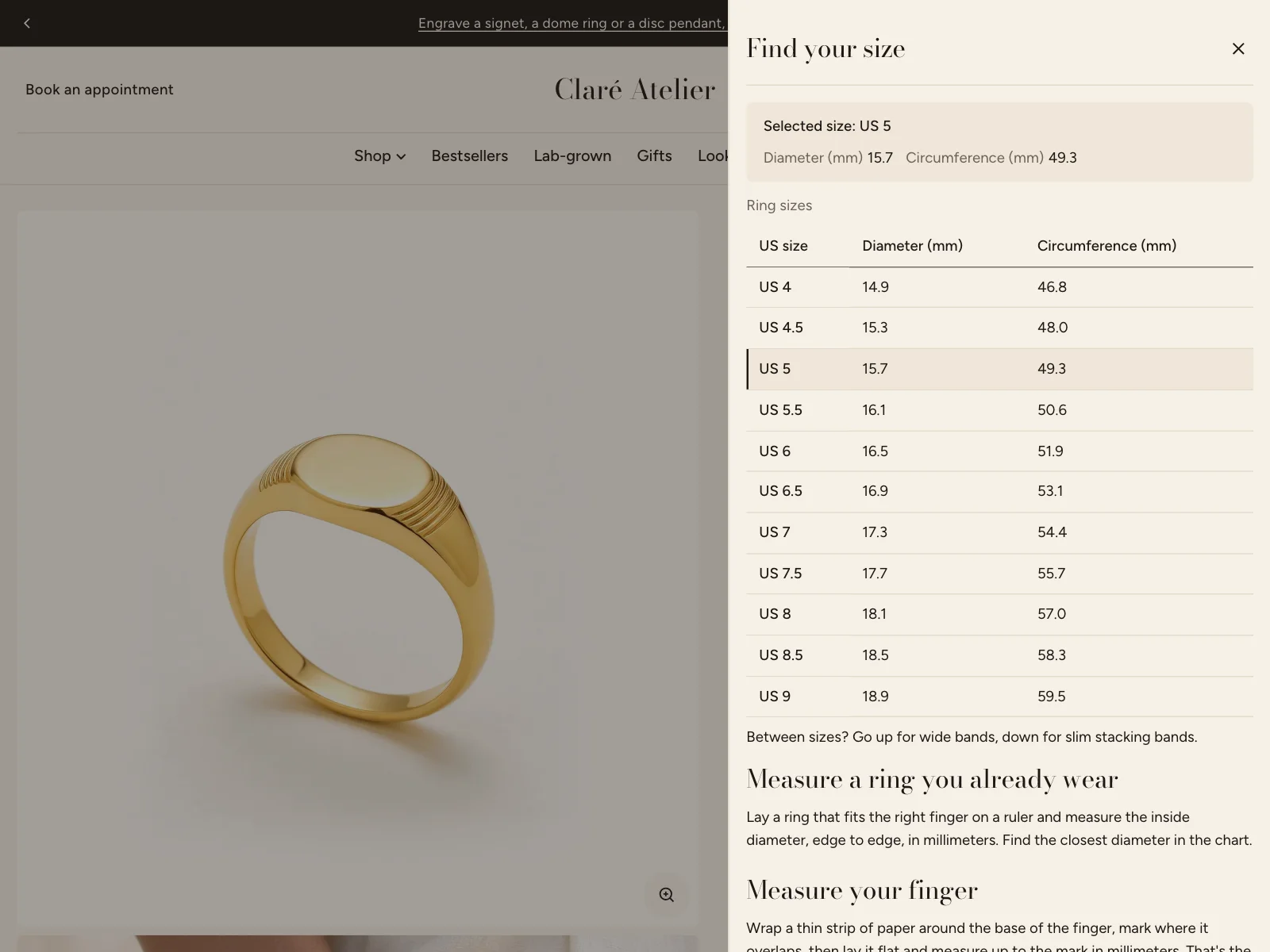
- Put the ring size guide next to the picker. Label the sizing system and distinguish inner diameter from circumference. Open and close the guide on a phone and confirm that the selected size stays selected.
Verify engraving and gift options in the bag
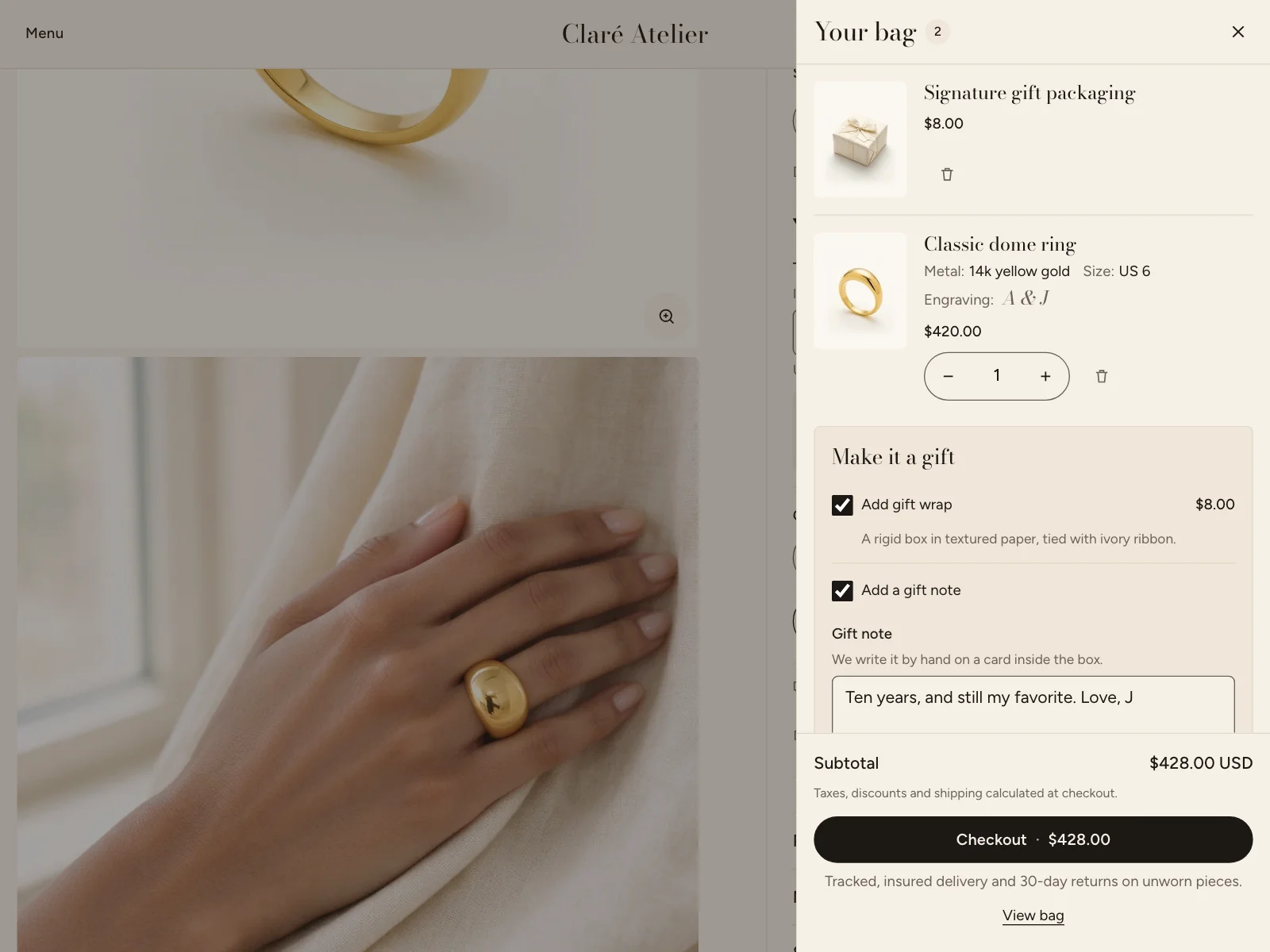
- Add an engraved ring and a plain ring of the same variant. Verify that the engraving stays with the right line when you change the quantity.
- If you offer gift wrap or a gift note, check where each appears, confirm any price change, and check a test order in Shopify admin to see what the fulfillment team receives.
Make the check reproducible
Record the theme version, affected template, device or viewport, app settings, steps, and expected result. Include a screenshot or short recording when the behavior is visual. Repeat the same steps after the change so your team can assess what improved and what still needs work.