
AQVERITH STUDIO / YARDAGE
Yardage Shopify theme for denim and streetwear
Yardage turns a lookbook into a fitting room. Shoppers tap an outfit, see how each piece fits and its measurements in their size, and add the size that's actually in stock without leaving the campaign.
Version 1.0.0
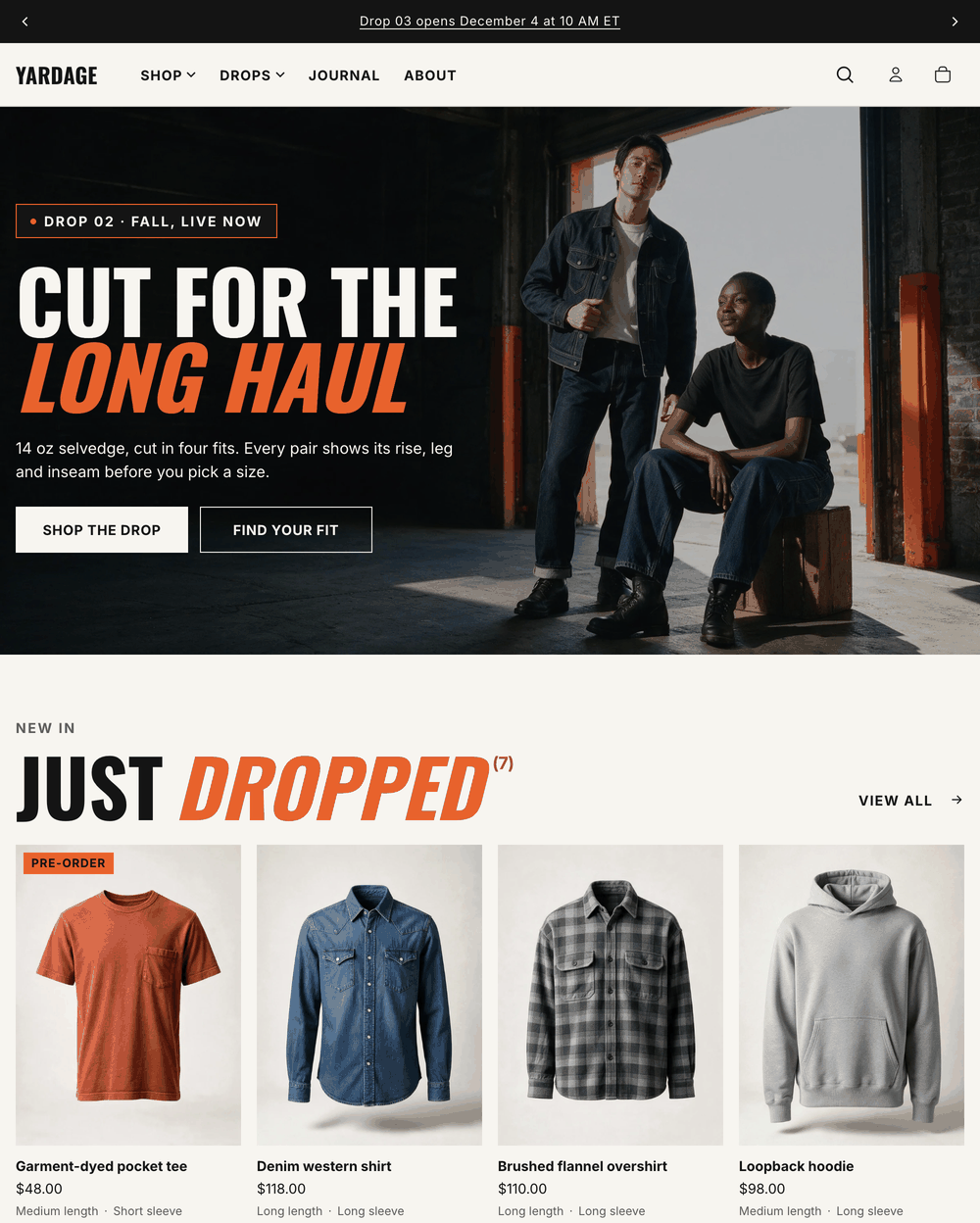


Shop the look in two taps.
Shoppers pick a size from a campaign or lookbook in a quick buy sheet, with the measurements for that size and sold-out sizes crossed out. They never leave the campaign to buy what's in it.
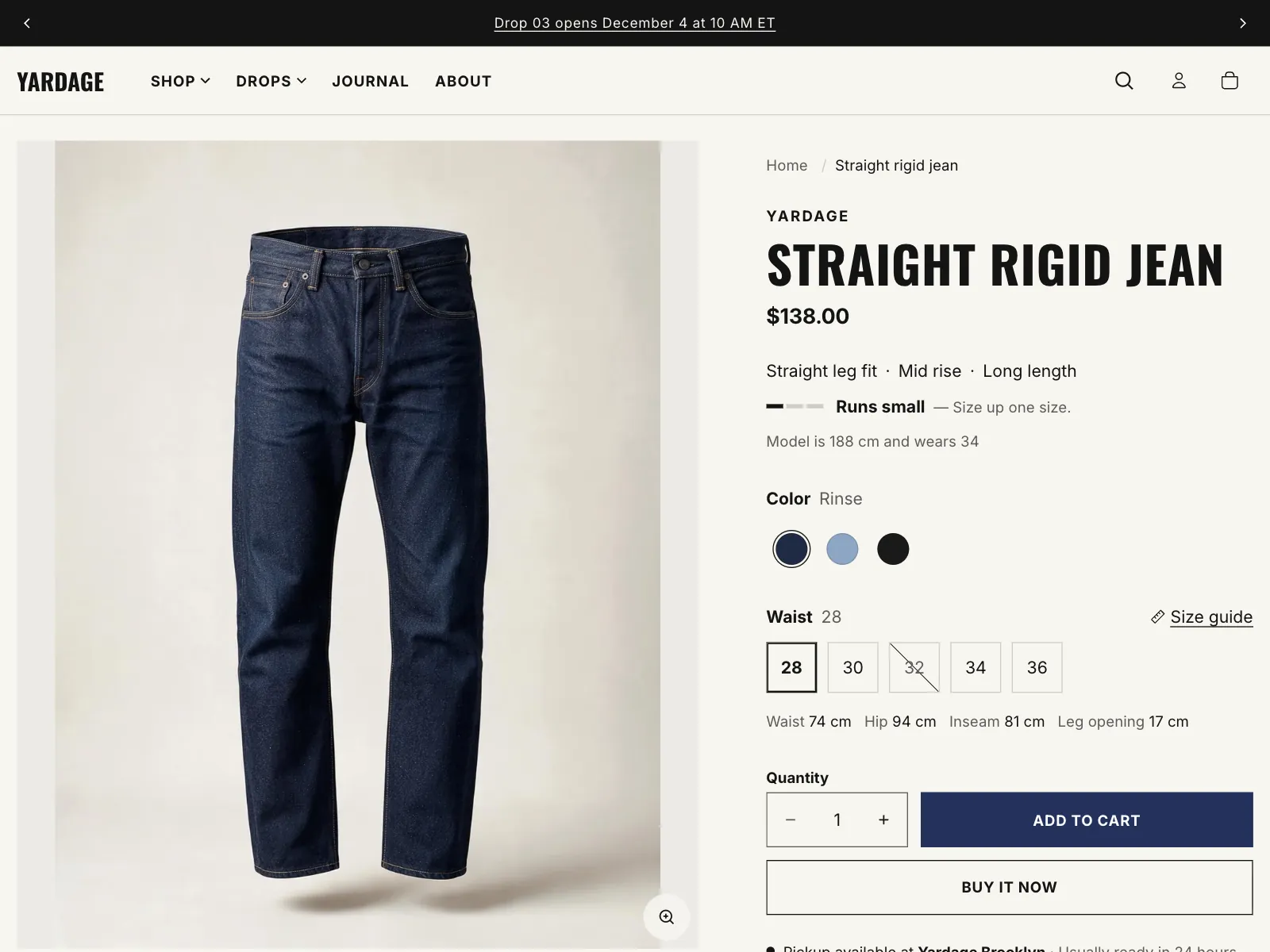
Fit entered once, shown everywhere.
Fit, rise and length come from Shopify's standard category metafields, so product cards, quick buy, the product page and the cart all show them without an app. Paste up to four size charts from a spreadsheet, match them to product types or tags, and add a fit scale and model info.

Drops without an app.
Tag a product with its launch time to get a countdown, an Email me when it drops form tagged for Shopify Email, drop badges, pre-orders with ship dates and an archive state for past drops.
Countdowns don't stop sales on their own; the drop setup guide shows how to hold a launch in Shopify.
What's included
- Fit on every product card, from Shopify's standard Fit and Waist rise metafields
- Measurements for the selected size, right in the size picker
- Saved size: shoppers pick their size once and it's offered on every product that uses the same chart
- Honest size picker: sold-out sizes stay visible and crossed out
- Back-in-stock requests built in, tagged with the product and size
- Fit scale, model info and a cm/in switch
- Shop the look: hotspots on campaign images open quick buy
- Quick buy and a cart drawer with free shipping progress and suggestions
- Filters for size, color swatches, price and availability
- Mega menu with images, promo tiles, grid size switch, sticky add to cart and image zoom
- Built on theme blocks, with five color schemes
- Accessible by default: 44px touch targets, visible focus and keyboard-friendly dialogs
Set it up
The documentation covers setup, fit and sizing, drops and every setting. Support is included with the theme.